All guides
Sharing cuts for review
Send a link, get frame-accurate feedback. No accounts, no "which timestamp did you mean", no email chains with V3_FINAL_final2.
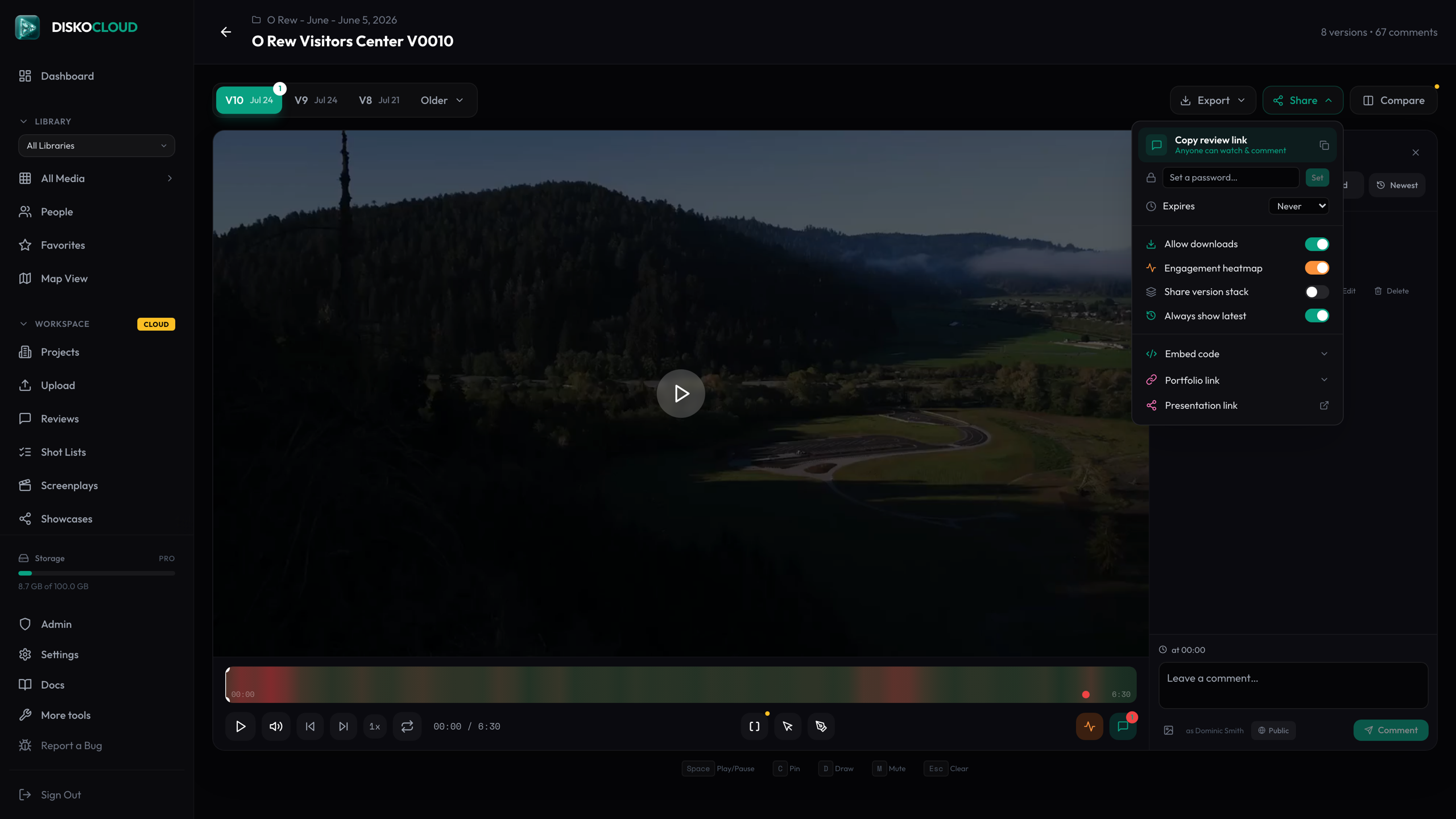
Create a review link
Open any synced video and hit Share. You get a clean disko.media link anyone can open — reviewers never need an account. The share menu is also where you set the rules: password protection, an expiry date, whether downloads are allowed, and whether the link should always show the latest version of the cut.
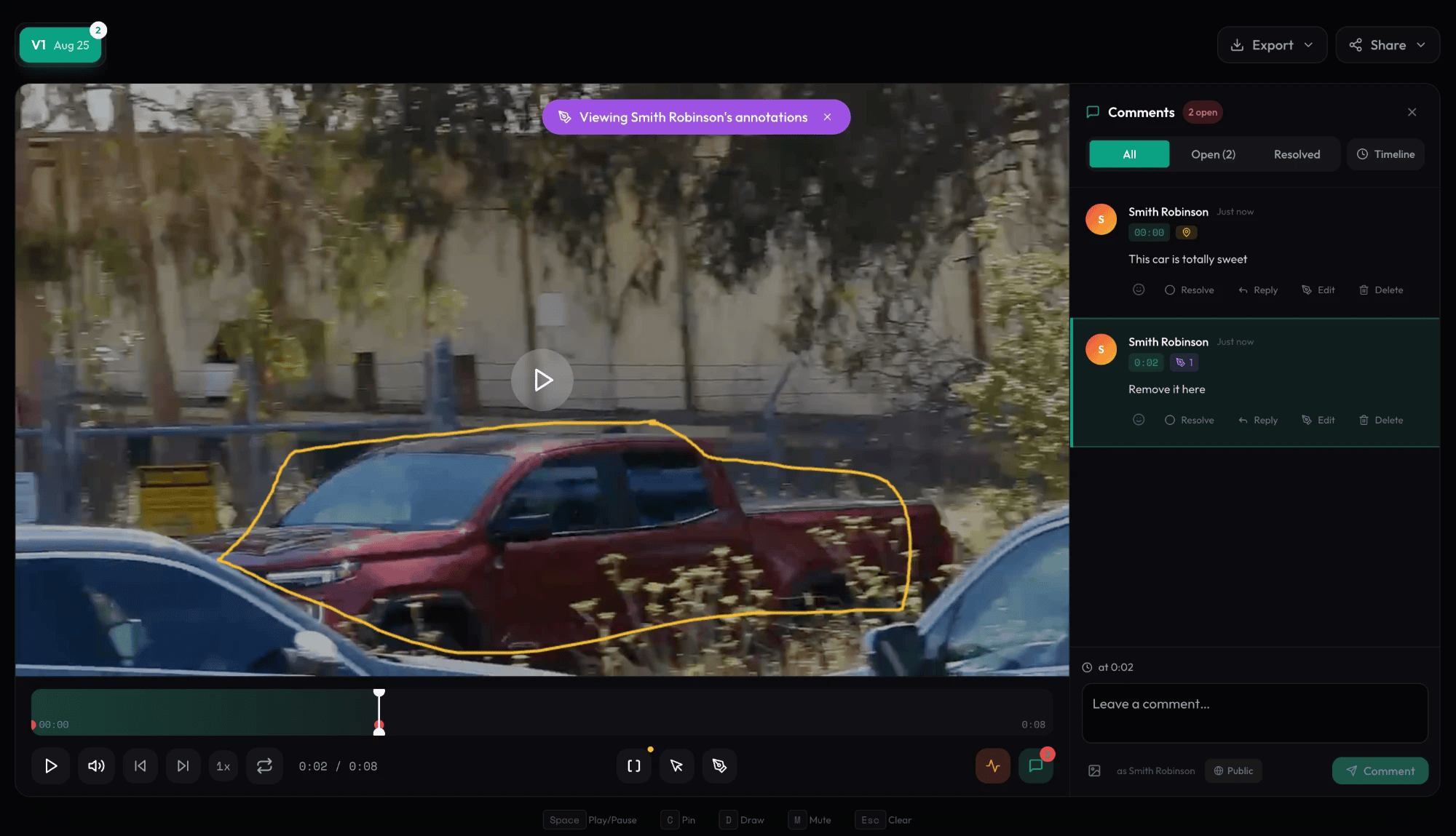
Frame-accurate feedback
Reviewers pause anywhere and comment — every comment is pinned to its exact timestamp. They can also draw directly on the frame to circle the thing they mean instead of describing it. You see everything in your dashboard the moment it lands.
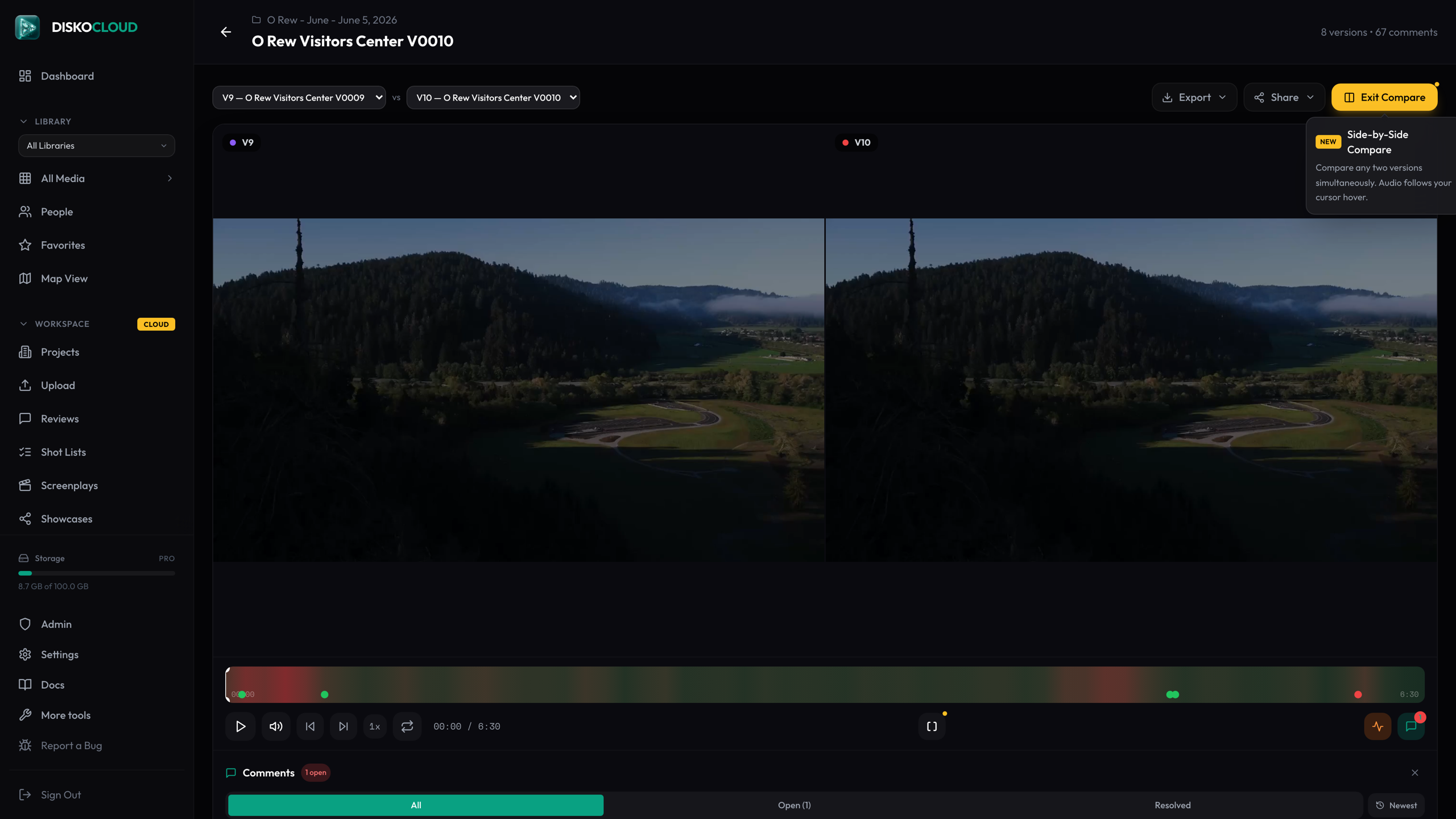
Versions without the chaos
Stack new cuts onto the same file and the review link grows version tabs. Reviewers flip between versions, and the compare view puts two cuts side by side — hover over either side to hear its audio. If you enabled always-show-latest, old links automatically open the newest cut.
Back into the edit
When the notes are in, export the comments as Premiere Pro XML and they land on your timeline as markers — each one at its timestamp, with the note attached. The feedback goes where the work happens.
Client transcript exports include filenames and timecodes per line, so a producer can pull selects from a paper edit without ever opening an NLE.